SMT
The Scenario Management Tool tab provides access to an easy-to-use tool for running, viewing and comparing different solve scenarios.
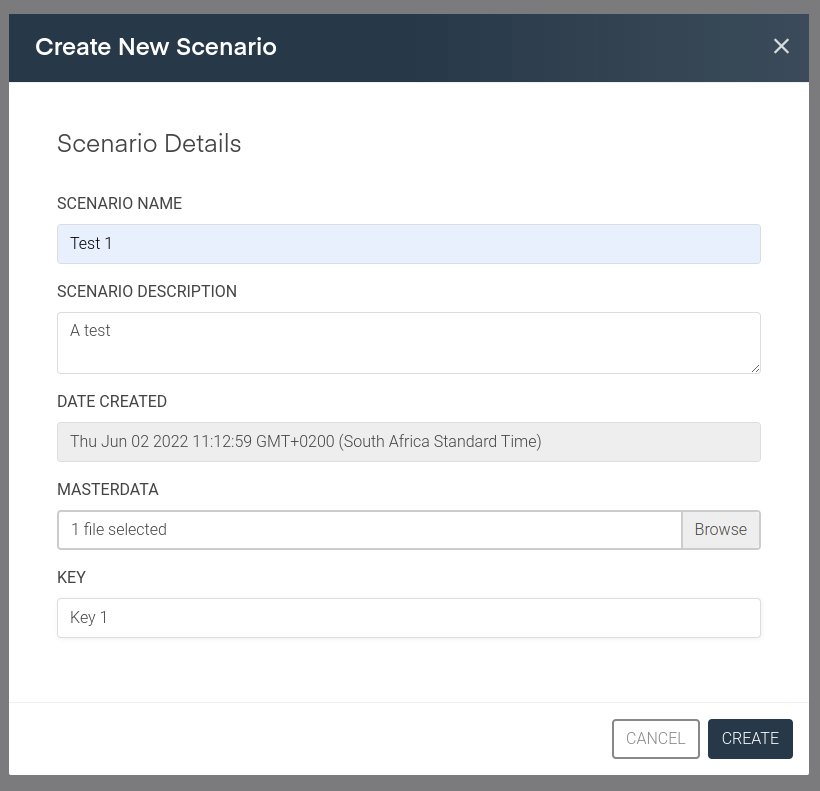
A scenario is created by clicking on Create Scenario, loading the file containing the model information and data (for example in JSON format) and selecting a key to run the solve against. Once Create is selected, the model will be sent to the Icepack API to be solved.
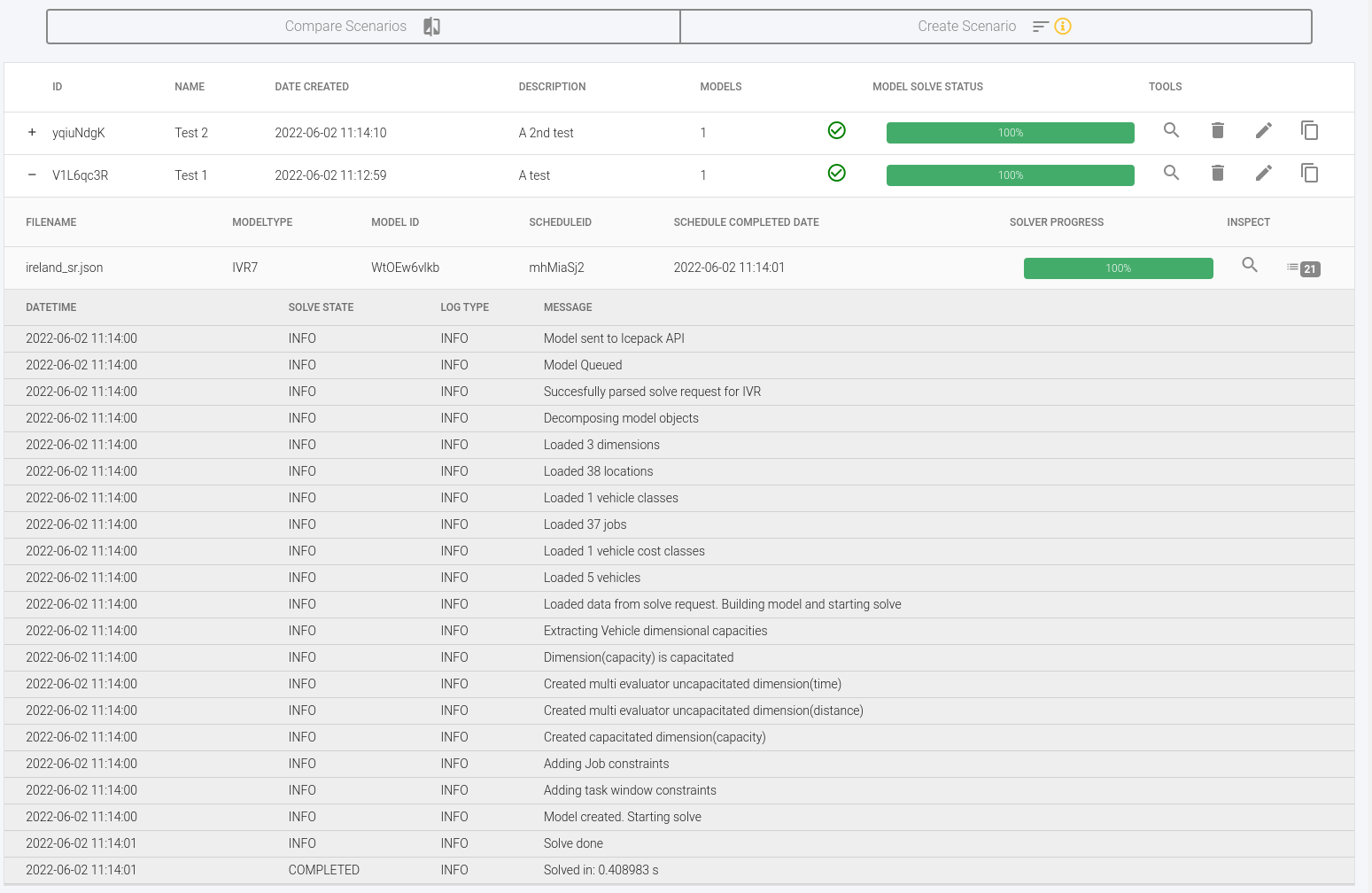
Each created scenario is listed in a table showing information about the scenario and the status of the solve. More specific details about the solve are also available after clicking on the plus sign to the left of the scenario ID and then the icon with the number on the far right hand side.
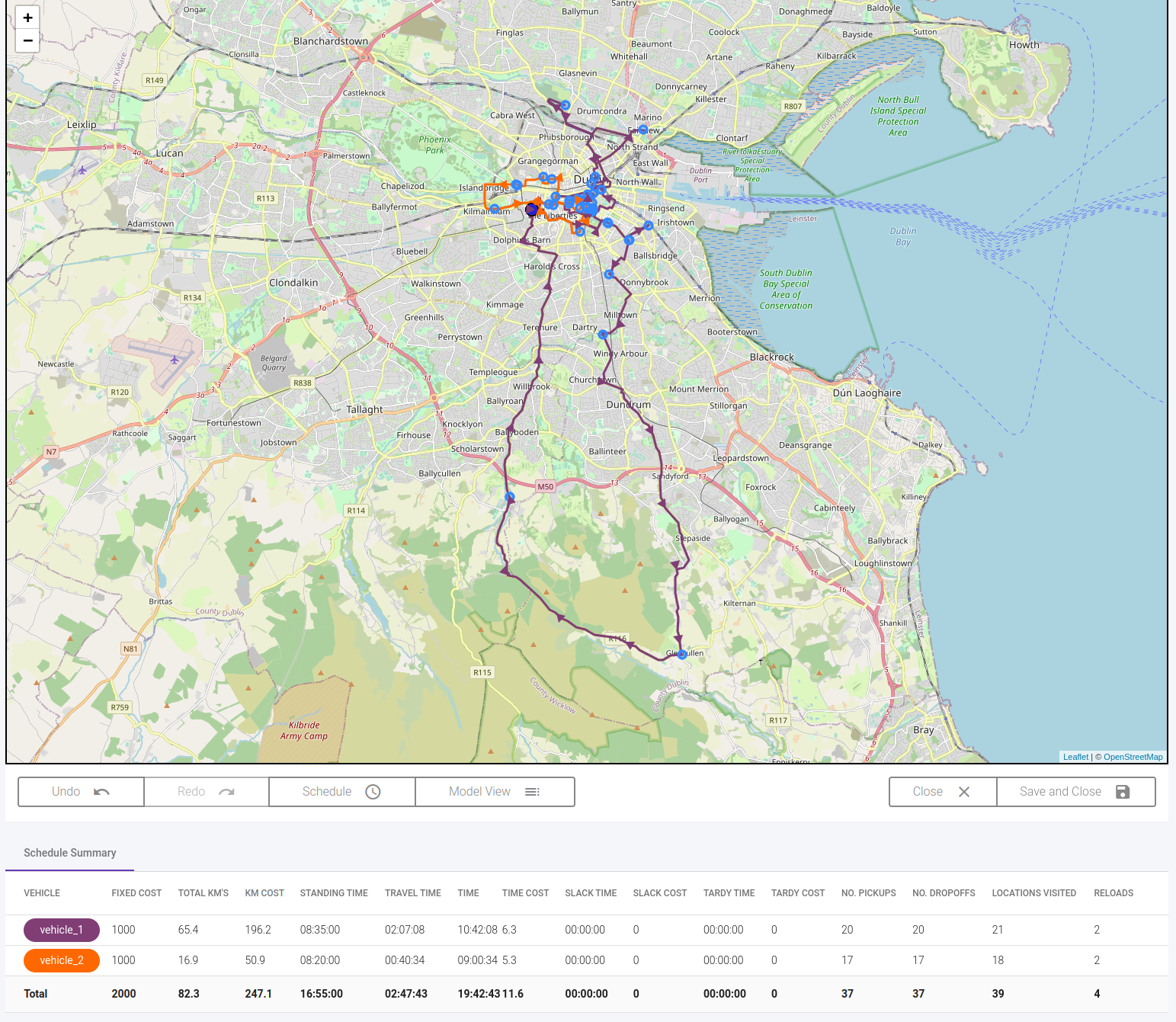
Clicking on the magnifying glass icon will take the user to a screen where they can visualise and view details of the model and schedule and re-run the solve (by clicking Schedule) to view other possible outcomes for the scenario.
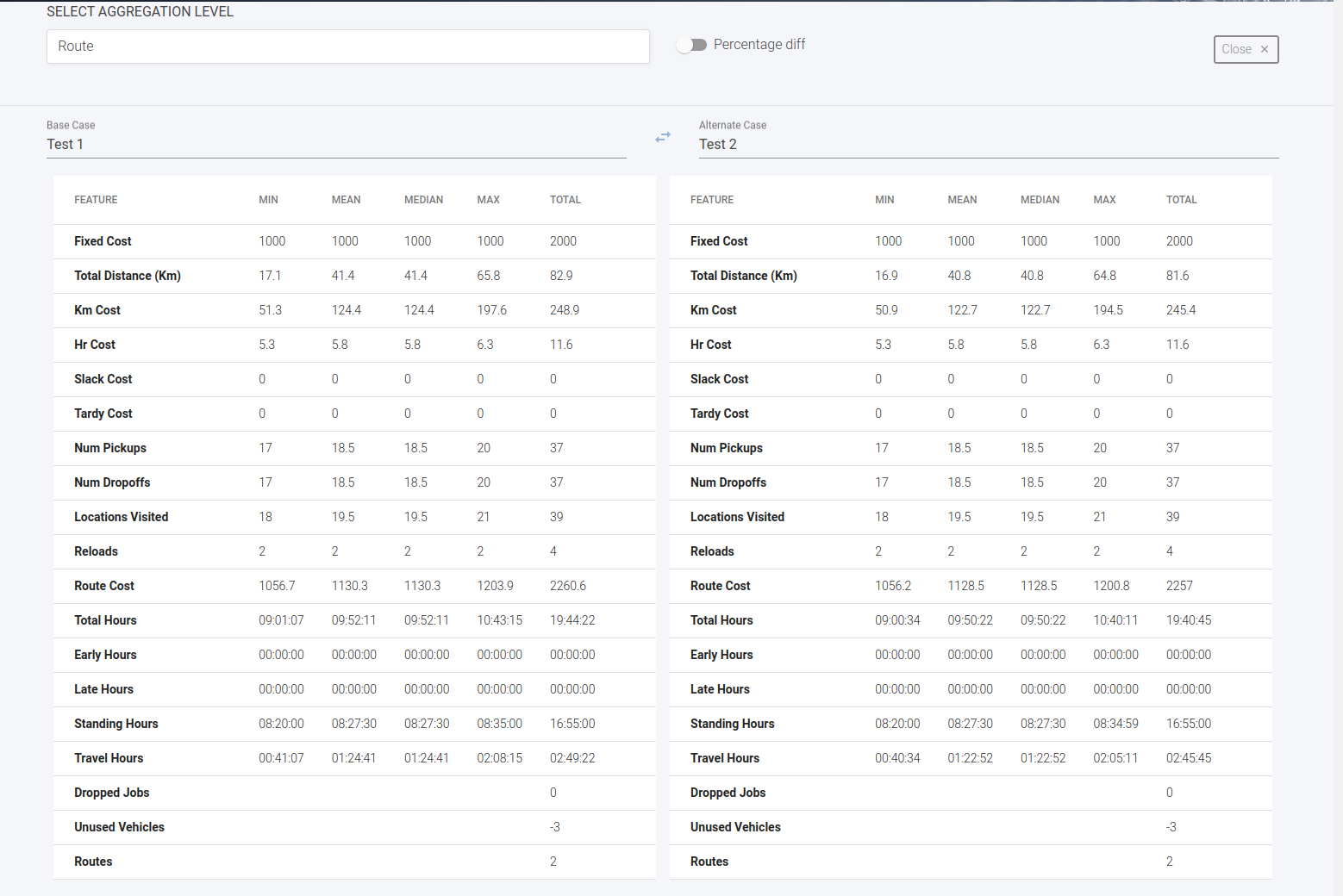
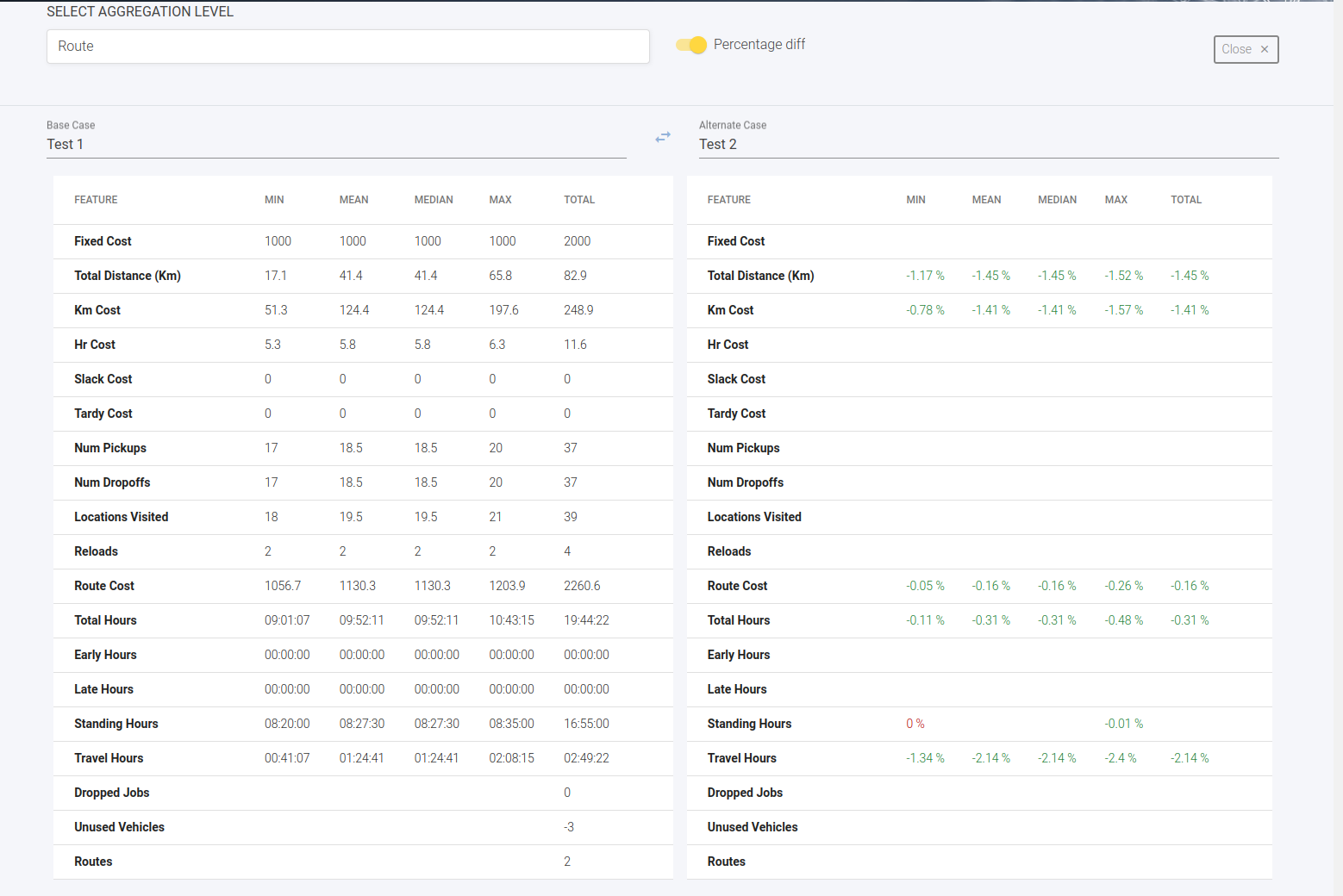
Different scenarios can be compared by clicking on Compare Scenarios and selecting two scenarios to compare, choosing the aggregation level (route or schedule) and whether or not to show the percentage difference between the two scenarios.