Icepack DOCS

  • About Icepack
    • Overview
    • Performance
    • Visibility
    • Icepack Security
    • Extensibility
    • Billing
    • Regions
  • Getting Started
    • Quickstart Overview
    • Calling the API
    • Model submission
    • Client Portal sign-up
    • Protobuf installation
    • What's next?
  • Model Overview
    • Model Overview
    • Problem envelope
    • Routing models
    • Periodic models
    • Sourcing models
  • Distance/Time Matrix
    • Overview
    • Geocode
    • Location
    • Matrix Request
    • Matrix Response
  • TSP
    • TSP Overview
    • Classic-TSP
    • TSPTW
  • VRP
    • VRP Overview
    • CVRP
    • CVRPTW
    • PDP-VRP
    • General Routing
  • IVR
    • IVR Overview
    • Dimension
    • Window
    • Geocode
    • Location
    • Task
    • Job
    • Vehicle
    • Vehicle Class
    • Vehicle Cost Class
    • Transit Set
    • Transit Generator
    • Compartment
    • Compartment Set
    • Task Sequence
    • Transit rules
    • Model
    • Solve Request
    • Solution Response
    • IVR Data
  • NVD
    • NVD Overview
    • Configuration
    • Geocode
    • Profile
    • Visit
    • Territory
    • Visit Sequence
    • Model
    • Solve Request
    • Objectives
    • Solution Response
  • NS3
    • Network Sourcing Overview
    • Dimension
    • Geocode
    • Unit Dimension Cost
    • Fixed Dimension Cost
    • Flow Dimensional Constraint
    • Dimension Range
    • Node
    • Product Group
    • Lane Rate
    • Cost model
    • Model
    • Solve Request
    • Solution Response
  • ISR
    • ISR Overview
    • Configuration
    • Geocode
    • Offload Site
    • Collection
    • Vehicle
    • Collection Sequence
    • Model
    • Solve Request
    • Solution Response
  • Excel Interface
    • Excel Interface
    • Requirements and Setup
    • Routing - TSP
    • Routing - CVRP
    • Routing - Advanced
    • Network Sourcing
    • Distance Matrix
    • Release Notes
    • Roadmap
  • Client Portal
    • Client Portal Overview
    • Initial sign-up
    • Dashboard
    • User management
    • Team management
    • Team billing and wallets
    • Key management
    • SMT

Client Portal

Public access to the Icepack Portal will be made available soon!

The Client Portal is the place to go if you want to manage your teams, users, billing and keys and monitor your usage or gain insights into your models.
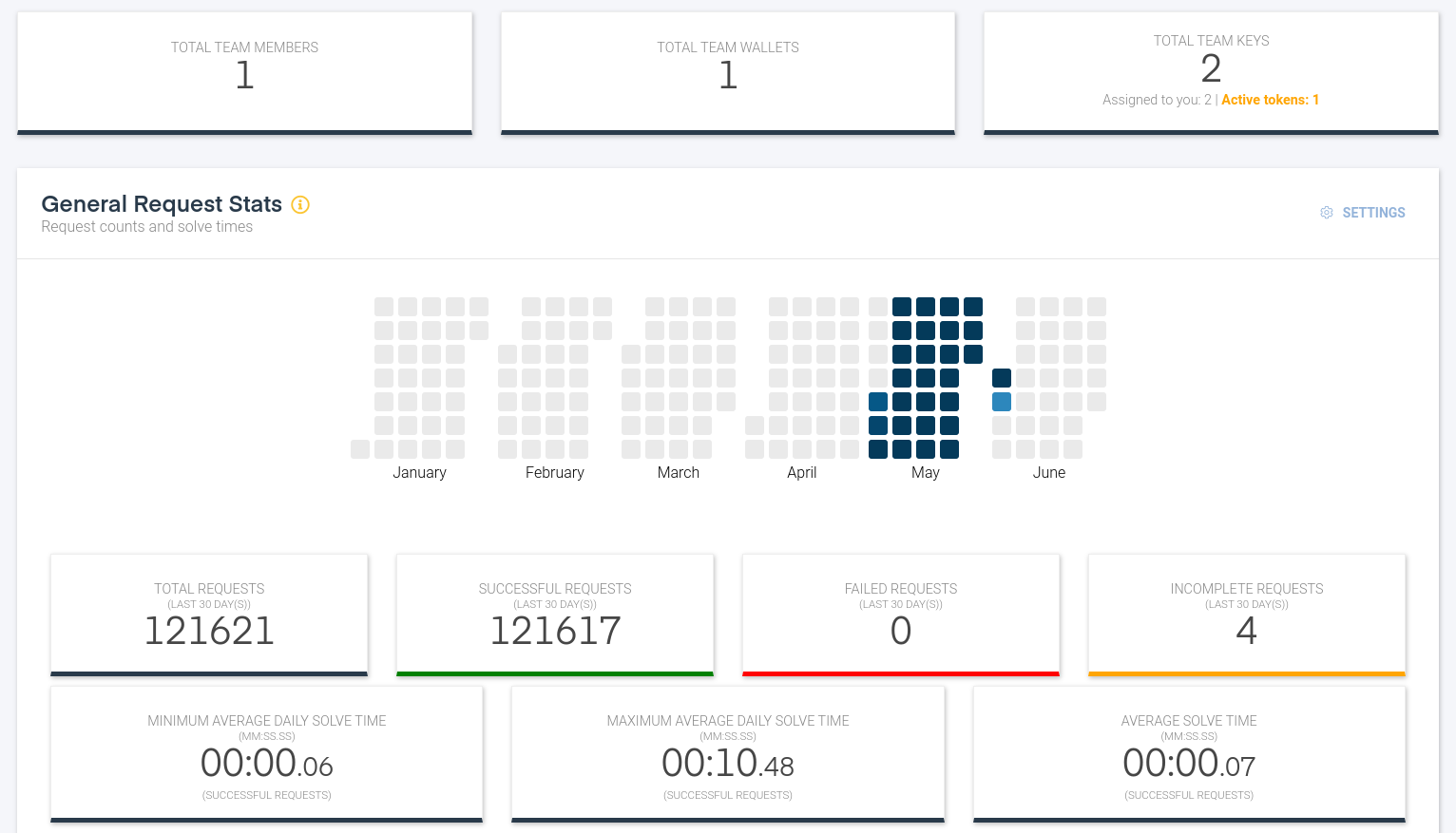
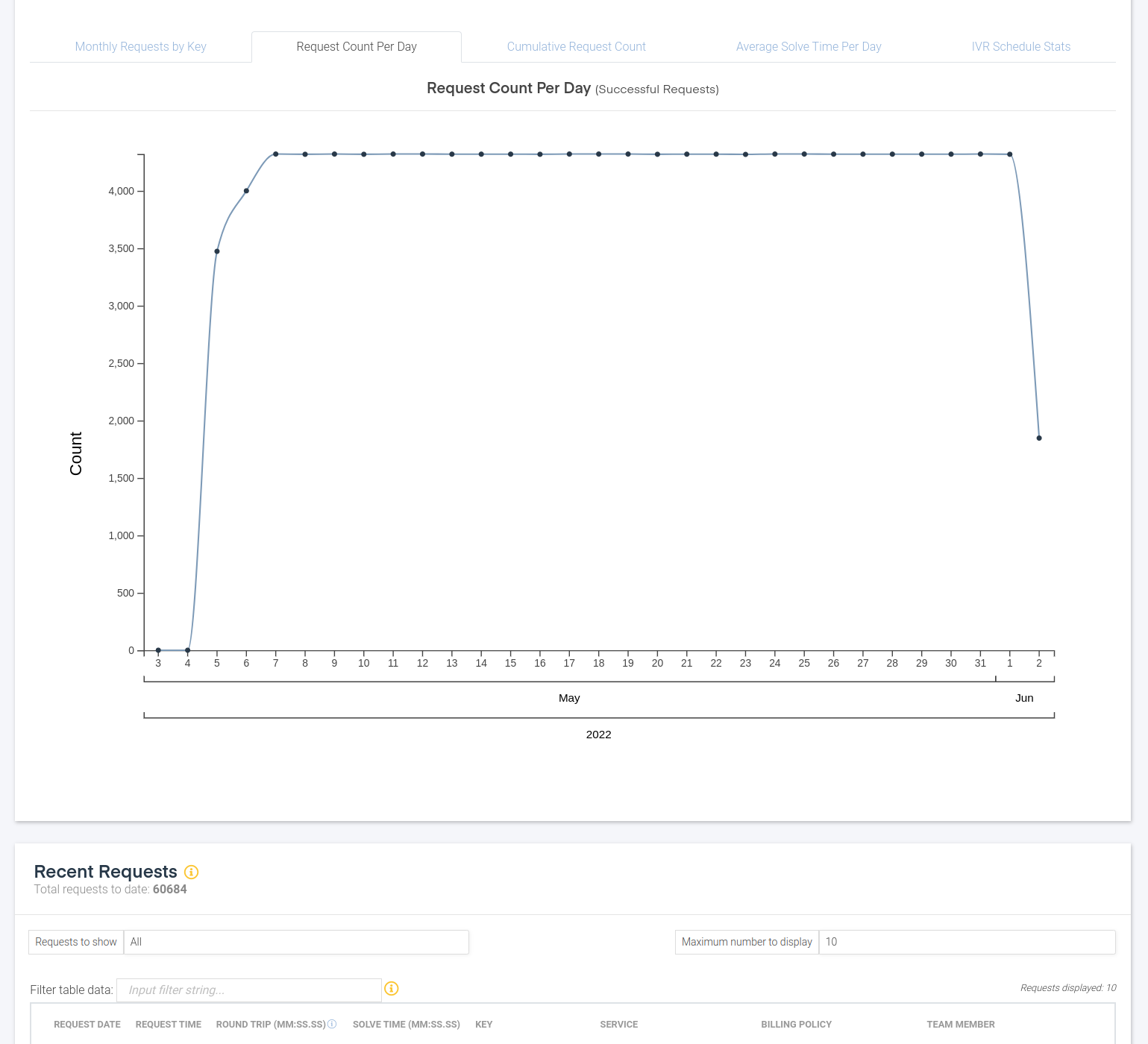
If at any point during your navigation around the Client Portal you find a bug, think of functionality that we’re missing or can be improved, or need help in any way, please click on the Feedback button on the top right hand side after you’ve logged in to the portal and send us some feedback. We’ll get back to you as soon as possible!

Initial sign-up

Signing up via the Client Portal. Read More »

Dashboard

Information around your service usage. Read More »

User management

Management around user details, your login password and teams to which you belong. Read More »

Team management

Management around your teams and its members and available services. Read More »

Team billing and wallets

Management around your team’s billing and wallets. Read More »

Key management

Management around your keys and linked users and services. Read More »

SMT

Scenario Management Tool. Read More »
    • About Icepack
    • Getting Started
    • Model Overview
    • Distance/Time Matrix
    • TSP
    • VRP
    • IVR
    • NVD
    • NS3
    • ISR
    • Excel Interface
    • Client Portal